
Krodium 0.9.1 for Mac, Windows and Linux
The browser that minds its own business.
Krodium is a private browser for Mac, Windows and Linux, made for people who work on the web all day. It sends no telemetry, keeps your history on your computer, and has Kraken, a built-in anti-tracker, switched on from the start.
- Telemetry
- None, by design
- Engine
- Krodium Engine
- Anti-tracker
- Kraken, built in and on
- Phishing and malware
- Krodium Safe Browsing
- Price
- Free
- Platforms
- Mac, Windows and Linux
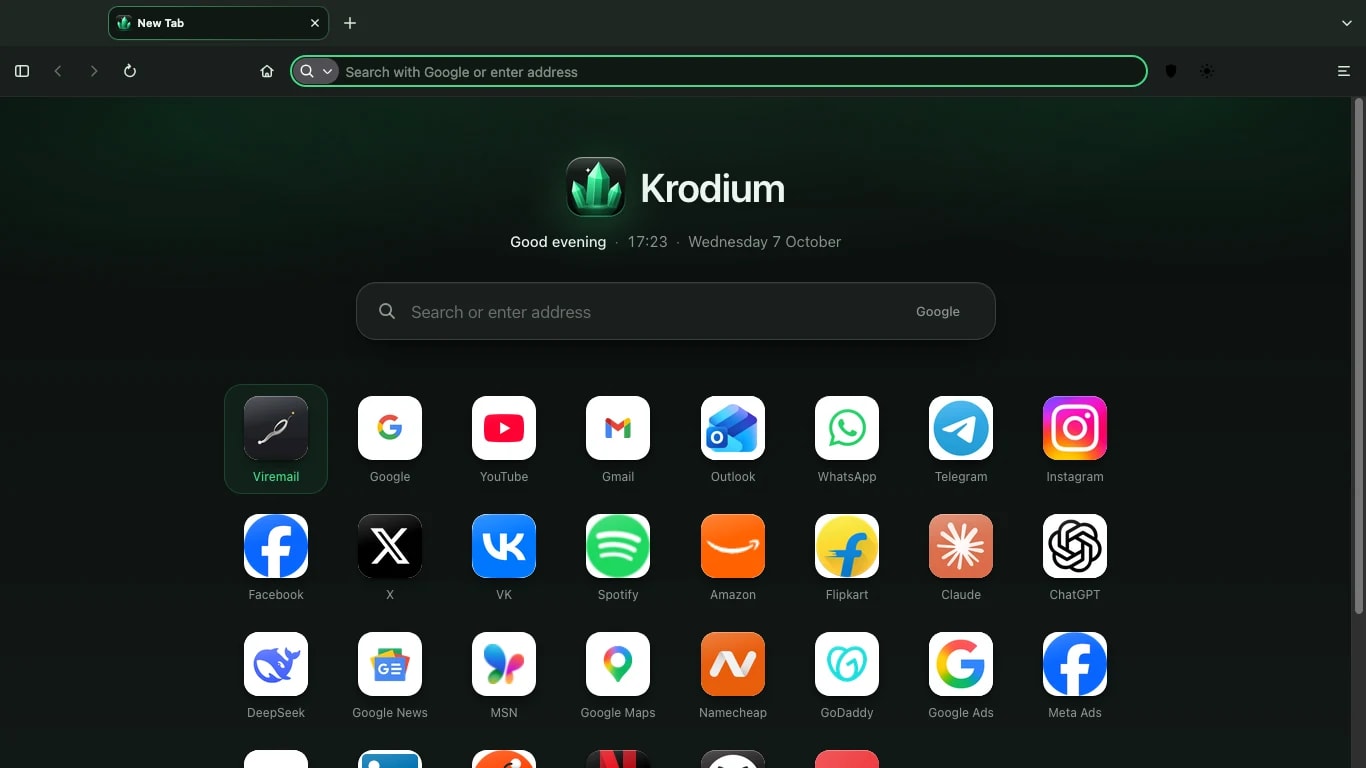
01Home screen
Every new tab starts with your work.
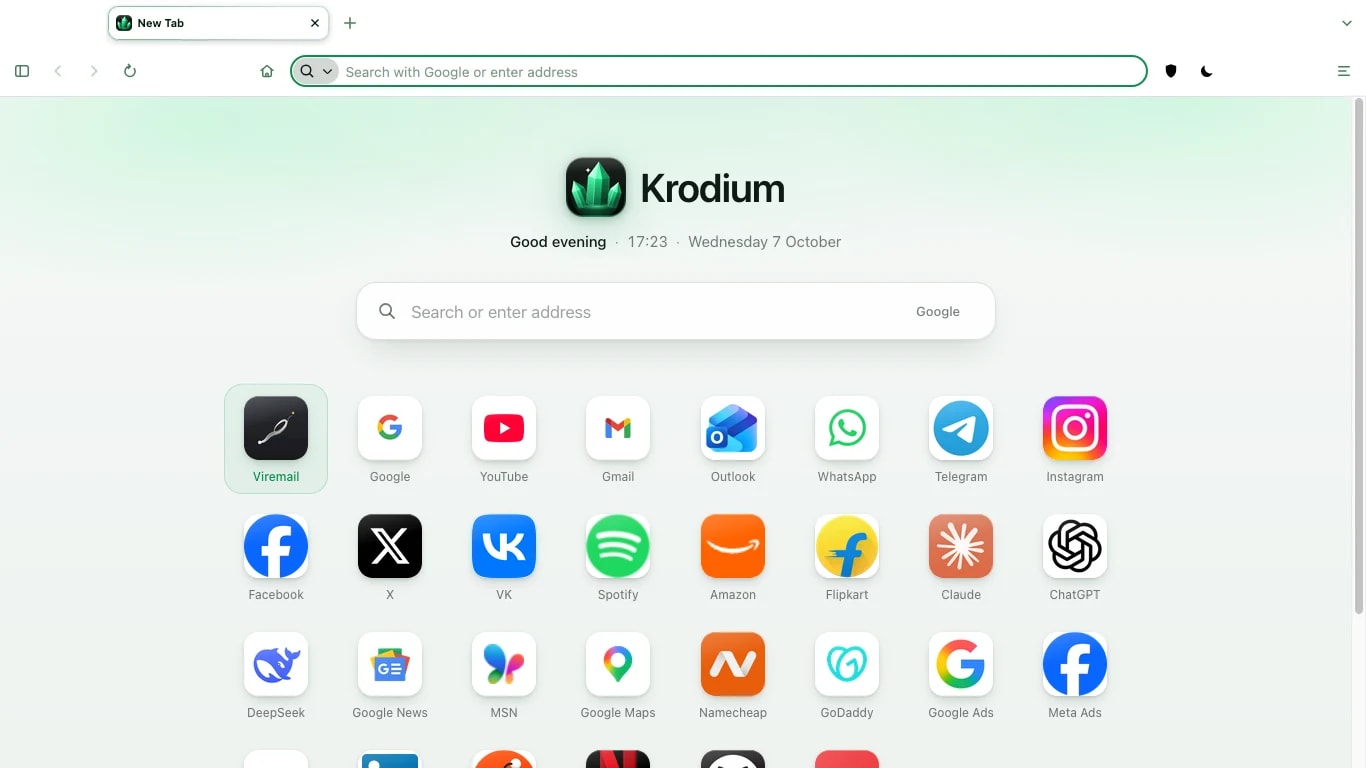
A calm grid of the apps and sites you use, with well-known sites for your country ready to add. No news feed, no sponsored tiles.
- Your apps, one click away. Pin the sites you use every day and drag them into order.
- Regional suggestions. Popular sites for where you are, so a new tab is useful on day one.
- Your search engine. Choose it from the search box.
- Light and dark. Krodium follows your system setting, and so do the sites you visit.
Shortcuts
- New tab ⌘T
- Go to the address bar ⌘L
- Reopen a closed tab ⌘⇧T
- New private window ⌘⇧P
02Kraken
One switch for ads, trackers and leaks.
Kraken is the anti-tracker built into Krodium. It lives in the toolbar, is on from the first launch, and stays the way you leave it.
With Kraken on, it blocks ads and trackers before they load, switches on strict tracking and fingerprinting protection, encrypts your DNS lookups, stops WebRTC from revealing your IP address, and strips tracking from links.
It is part of the browser, not an add-on, and it does not send your browsing anywhere.
| Protection | With Kraken off | With Kraken on |
|---|---|---|
| Known cross-site and social media trackers | Blocked | Blocked |
| Tracking protection level | Standard | Strict |
| Ads and annoyances | No | Blocked |
| Fingerprinting protection | Standard | Strict |
| DNS lookups | Your network’s resolver | Encrypted, DNS over HTTPS |
| IP address leaks through WebRTC | No | Stopped |
| Tracking parameters in links | No | Removed |
| Global Privacy Control and HTTPS-only mode | On | On |
| Hides your public IP address from sites | No | No |
Hiding your public IP address needs a relay. Kraken Relay is planned and is not available yet.
03Media player
Pause anything, from any tab.
A compact player sits in the toolbar whenever something is playing. You never have to hunt for the tab that is making noise.
- Title, artist and artwork, with long titles that scroll gently.
- Play, pause, previous and next, without switching tabs.
- Volume on hover, or with the scroll wheel anywhere on the player.
- Click the title to jump to the tab. Your media keys work too.
04History and Library
History gets a page of its own.
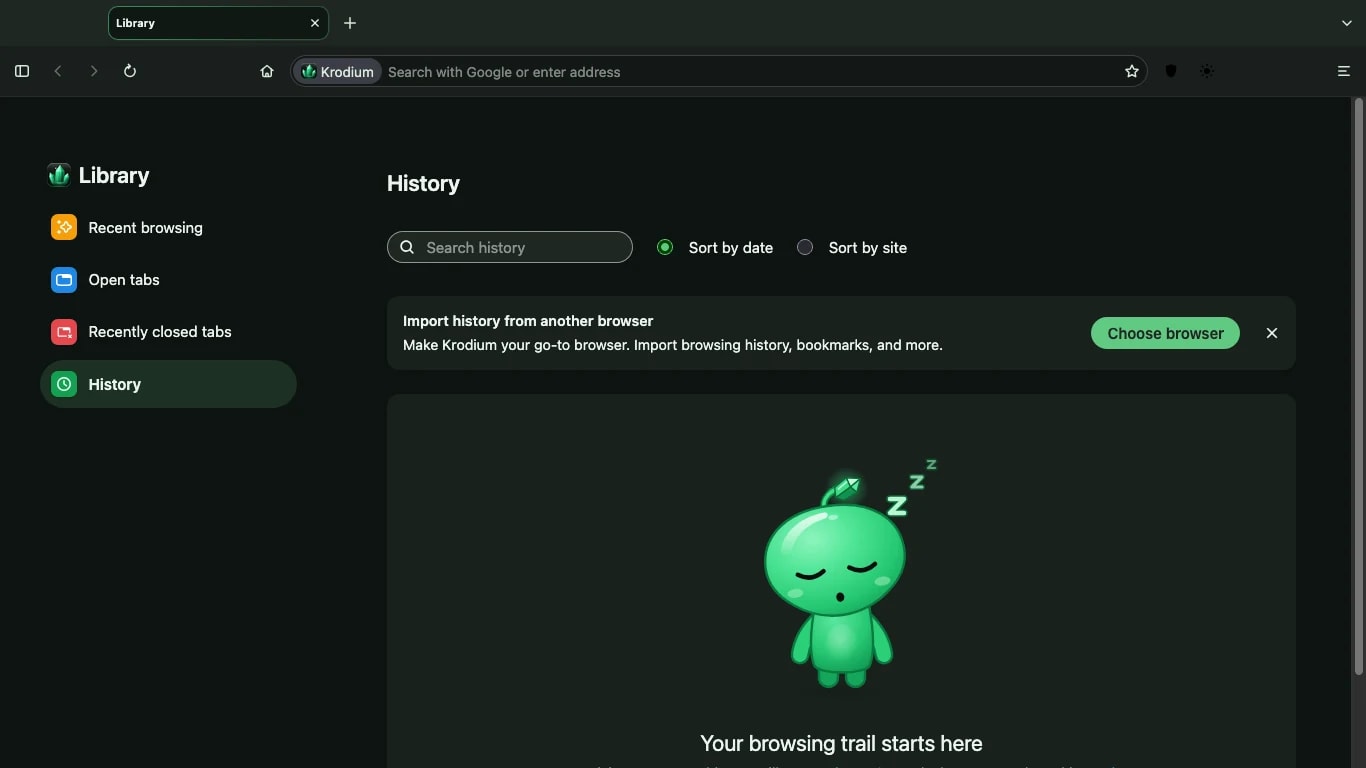
Recent browsing, open tabs, recently closed tabs and your full history live together in the Library, in a tab rather than a cramped side panel.
- Search history, and sort it by date or by site.
- Bring back a tab you closed by mistake.
- Import history and bookmarks from Chrome, Safari or Edge.
- All of it stays on your computer.
05Privacy
What Krodium sends, in full.
Privacy is easier to trust when you can read it in one table. This is everything that leaves your computer because of Krodium.
| Data | What happens to it |
|---|---|
| Usage data and telemetry | Not collected. There is nothing in the browser that reports it. |
| Crash reports | Not sent, to us or to anyone else. |
| History, bookmarks, passwords, settings | Stored on your computer. Not sent to us. |
| Phishing and malware protection | Krodium Safe Browsing downloads a signed list of known dangerous sites from krodium.com every hour and checks it on your device. The sites you visit are not sent anywhere. |
| With Kraken on | Filter lists are kept up to date from the servers that publish them, and DNS lookups are encrypted and sent to Quad9. |
| This website | Ordinary server logs, kept for a limited time. No analytics, no advertising trackers, no cookies. |
06Business
A browser your IT team can stand behind.
Krodium is built for organisations as much as individuals: no telemetry to explain to your data protection officer, and management tools on the way.
Today
- No telemetry or crash reports, so there is nothing to opt out of on each computer.
- Kraken, Safe Browsing and HTTPS-only mode for safer browsing on shared networks.
- A plain record of what the browser stores and sends, in our privacy policy.
Coming
- Admin policies for homepage, privacy defaults, extensions and updates.
- Managed installs with the deployment tools you already use.
- Viremail Business sign in, so staff use the account they already have.
07Bagpipper App Store
A store for the software you work with.
The Bagpipper App Store is our own marketplace for extensions, web apps and desktop apps. You can browse it on bagpipper.com/store, and the developer programme is open for anyone who wants to publish there. Installing from the Store inside the browser comes later.
Available
Extensions
Add what the browser needs.
Tools that change how pages look and behave, with their permissions shown in plain words before you install.
Web apps
Run the web like an app.
Web apps you open and run like any other app, from the same place you find everything else.
Desktop apps
Software that works alongside.
Desktop apps that work with Krodium, installed and updated from one place.
For developers: Krodium accounts, one .krx package format for every kind of listing, a clear review process, and identity-verified accounts for individuals and organisations.
08Bagpipper
Krodium, inside your whole working day.
Bagpipper is our desktop suite: the Viremail apps in one native app, with Krodium built in for the web and the Bagpipper App Store inside.
- Viremail apps together. Mail, Drive, Pintas, Write and more in one window.
- Krodium built in. Links and web apps open beside your work.
- The Bagpipper App Store inside. Add what your work needs from one place.
Download
Free for Mac, Windows and Linux. Ready in two minutes.
Krodium 0.9.1 for Macs with Apple silicon, macOS 10.15 or later. 116 MB. No account needed.