
Your history, in a page of its own.
History opens in its own tab, in the Library, rather than a cramped side panel. Recent browsing, open tabs and recently closed tabs sit beside it, so finding where you were takes one place and one search.
Available now
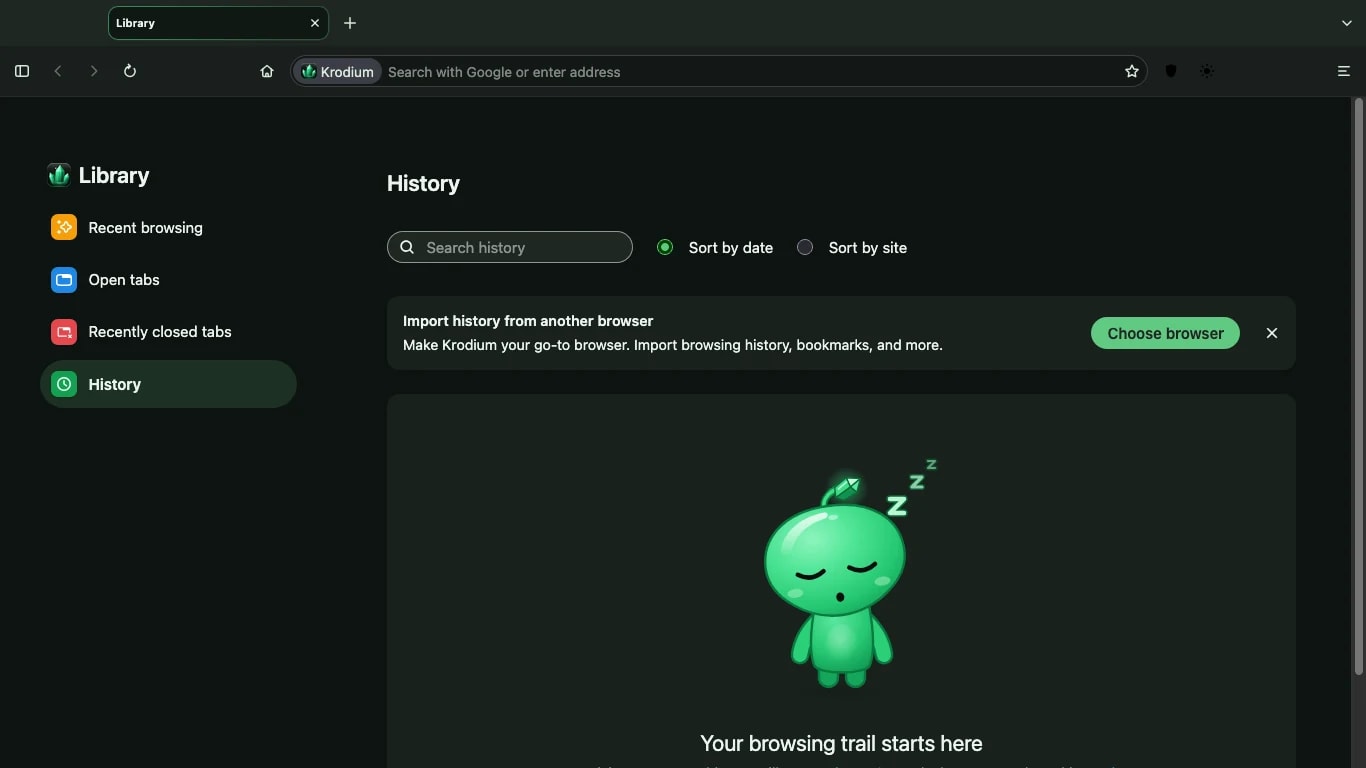
History and Library
In detail.
History in a tab
Search your history, sort it by date or by site, and open anything again with a click.
AvailableRecent browsing
Pick up where you left off, with the pages you visited most recently at the top.
AvailableOpen and recently closed tabs
See every open tab in one list, and bring back a tab you closed by mistake.
AvailableImport from another browser
Bring your history and bookmarks from Chrome, Safari or Edge in a few steps.
AvailableStays on your Mac
Your history is stored on your Mac. Krodium does not send it anywhere.
Available
Good to know
History moved into its own tab in version 0.5. The Library gained colour tiles for each section in version 0.6.
Download
Free for Mac. Ready in two minutes.
Krodium 0.8 for Macs with Apple silicon, macOS 10.15 or later. 89 MB. No account needed.